Decision path & grouping rules
Which DRGs were considered? Why was the case excluded from them? Which condition determined its final group? Three views of every result: detail, rule and path.
lunéa Grouper
lunéa Grouper assigns cases to aG-DRG and PEPP groups, explains the decision path and analyses complete Section 21 datasets. Built for case review and hospital coding and reimbursement teams, independent of the HIS.
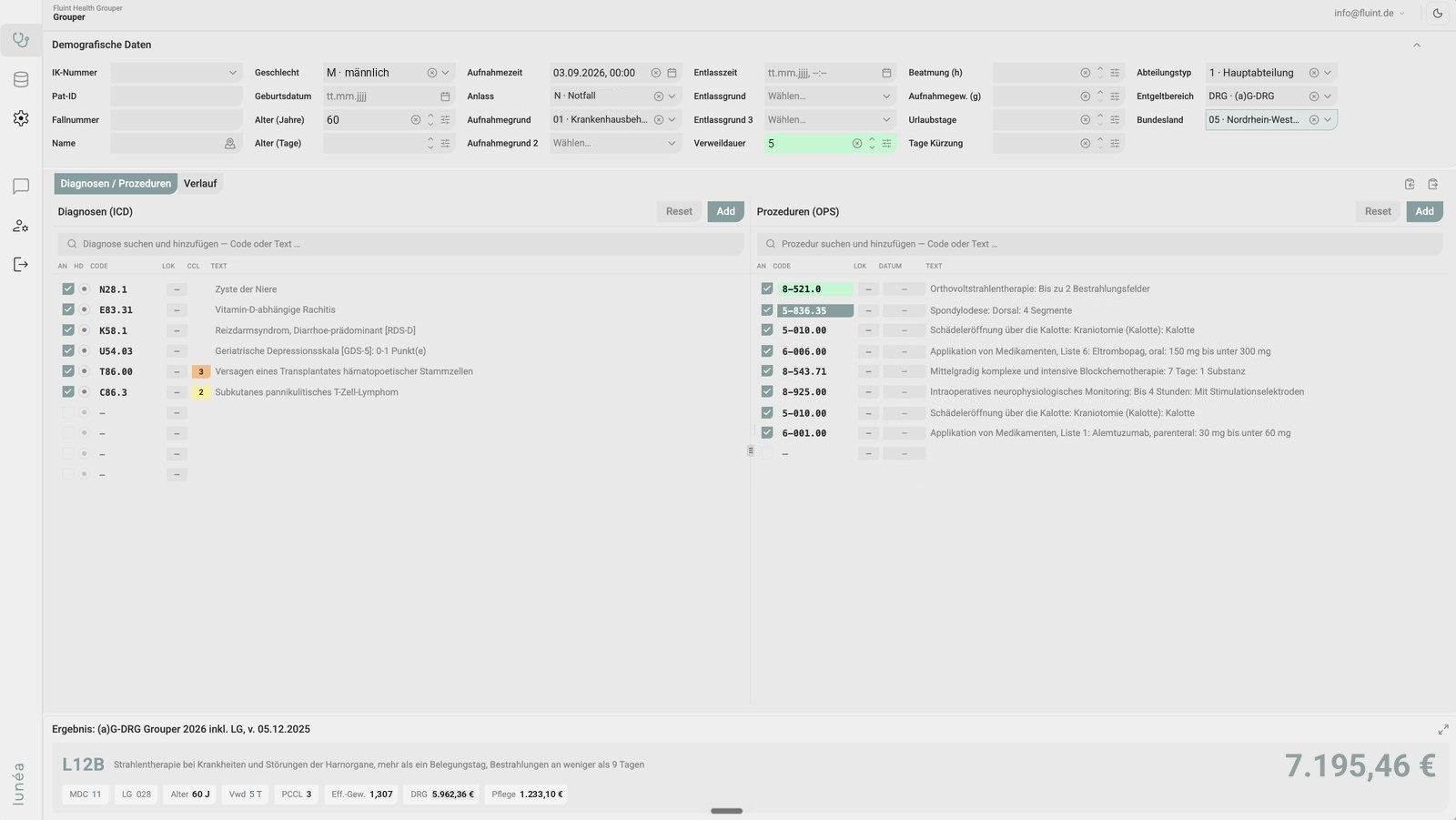
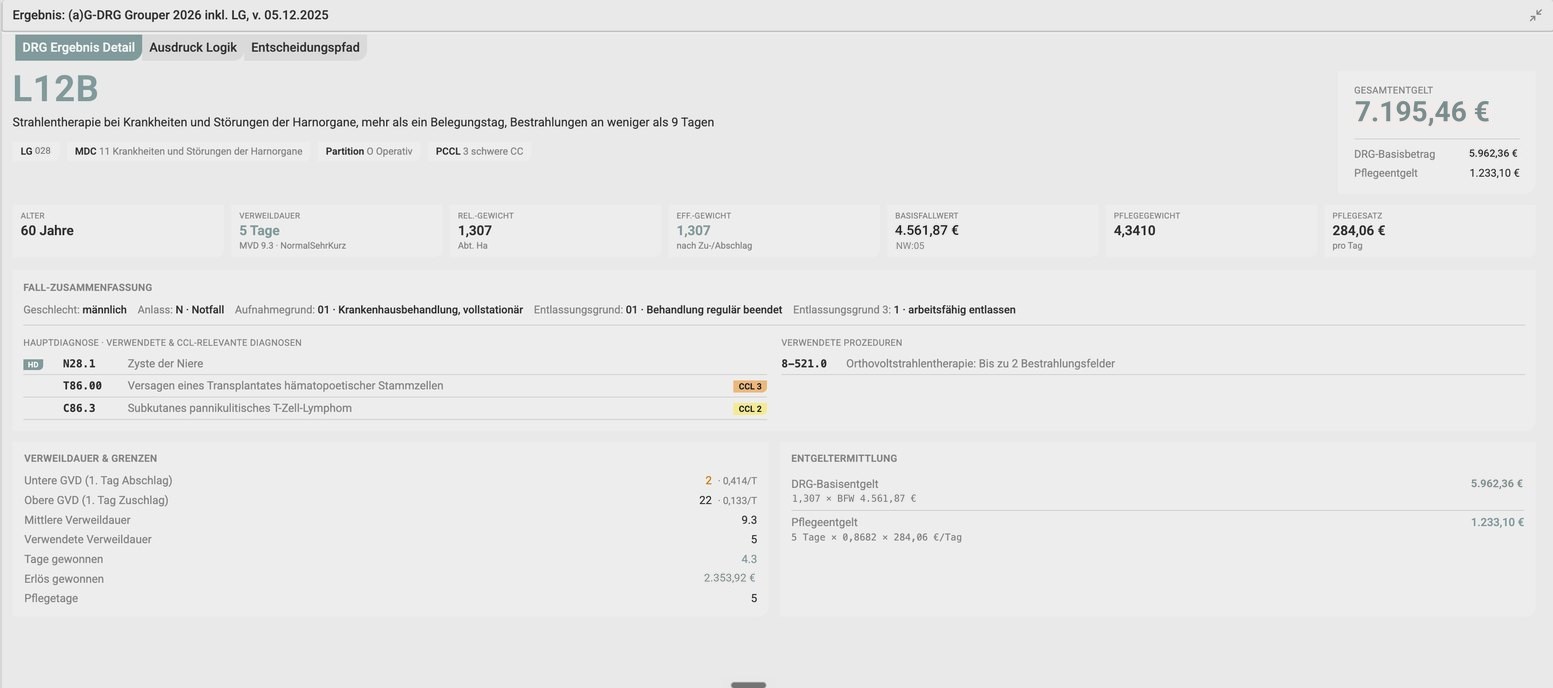
lunéa Grouper shows the grouping result, decision path and underlying rules. Review individual cases or complete datasets and compare them across catalogue years.
Which DRGs were considered? Why was the case excluded from them? Which condition determined its final group? Three views of every result: detail, rule and path.
Import the Section 21 dataset files as a ZIP and group the entire dataset. The workspace also accepts CSV datasets and exports from other groupers. Every record is one click away from individual case review.
Compare grouped and billed DRGs, as well as actual and reference costs. Cross-year comparisons support coding quality reviews, investigation of discrepancies and preparation for the annual catalogue change.
Enter demographics, admission and discharge details, department transfers, diagnoses and procedures. Integrated catalogue search supports data entry. The result goes beyond a DRG: MDC, service group, PCCL, effective relative weight, DRG and nursing reimbursement, and total reimbursement for the selected federal state.
Results include the grouper version and definition logic version, making the catalogue year used explicit.
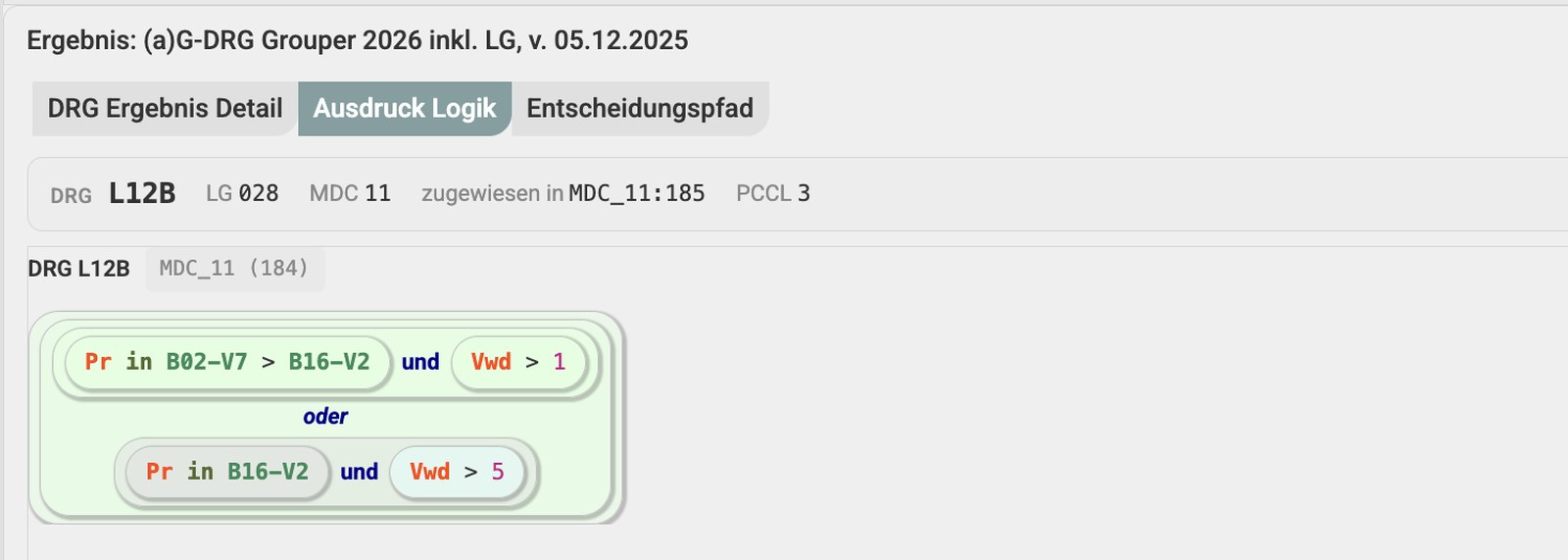
View each DRG definition as a readable rule: which procedure table is linked to which length of stay, where an OR condition applies, and which condition the case met.
Expand any table to see its codes and descriptions, its reference in the Definitions Manual and every DRG that uses the same table. Trace the case characteristics and conditions that determined the assignment.
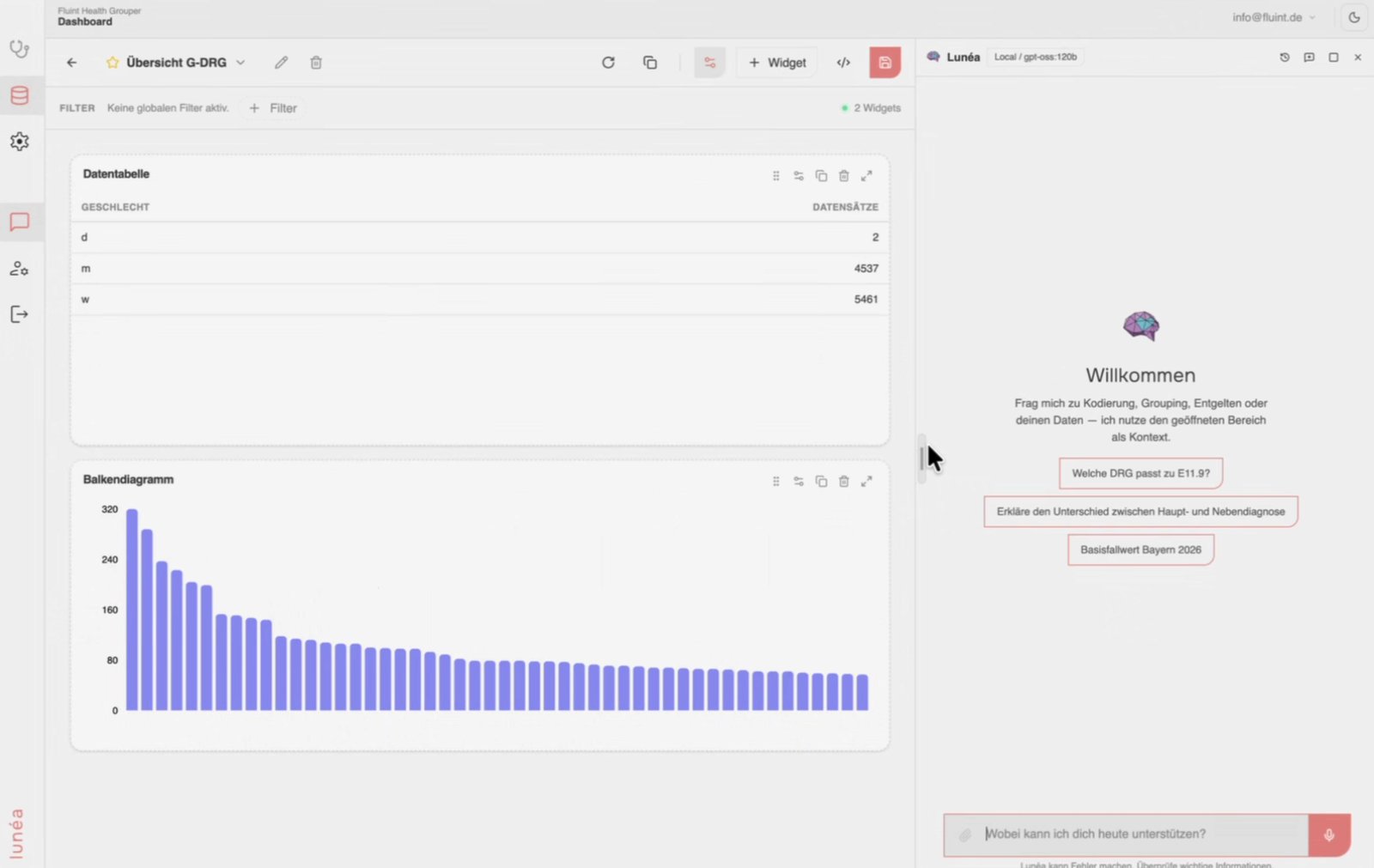
Build pivot analyses from your grouped data: choose dimensions and measures, filter and sort. Create dashboards from twelve widget types, from tables to column charts, then save and share them.
Regroup the same dataset against another catalogue year or case scenario—for annual updates, budget negotiations and coding quality reviews. Add other CSV sources, such as staffing data, alongside case data in the same dashboard. Analyse grouping results directly in tables, pivot views and dashboards.
As the annual catalogues evolve, we update our groupers and submit the respective versions for InEK certification. Explore the certification records for aG-DRG, service groups and PEPP by catalogue year.
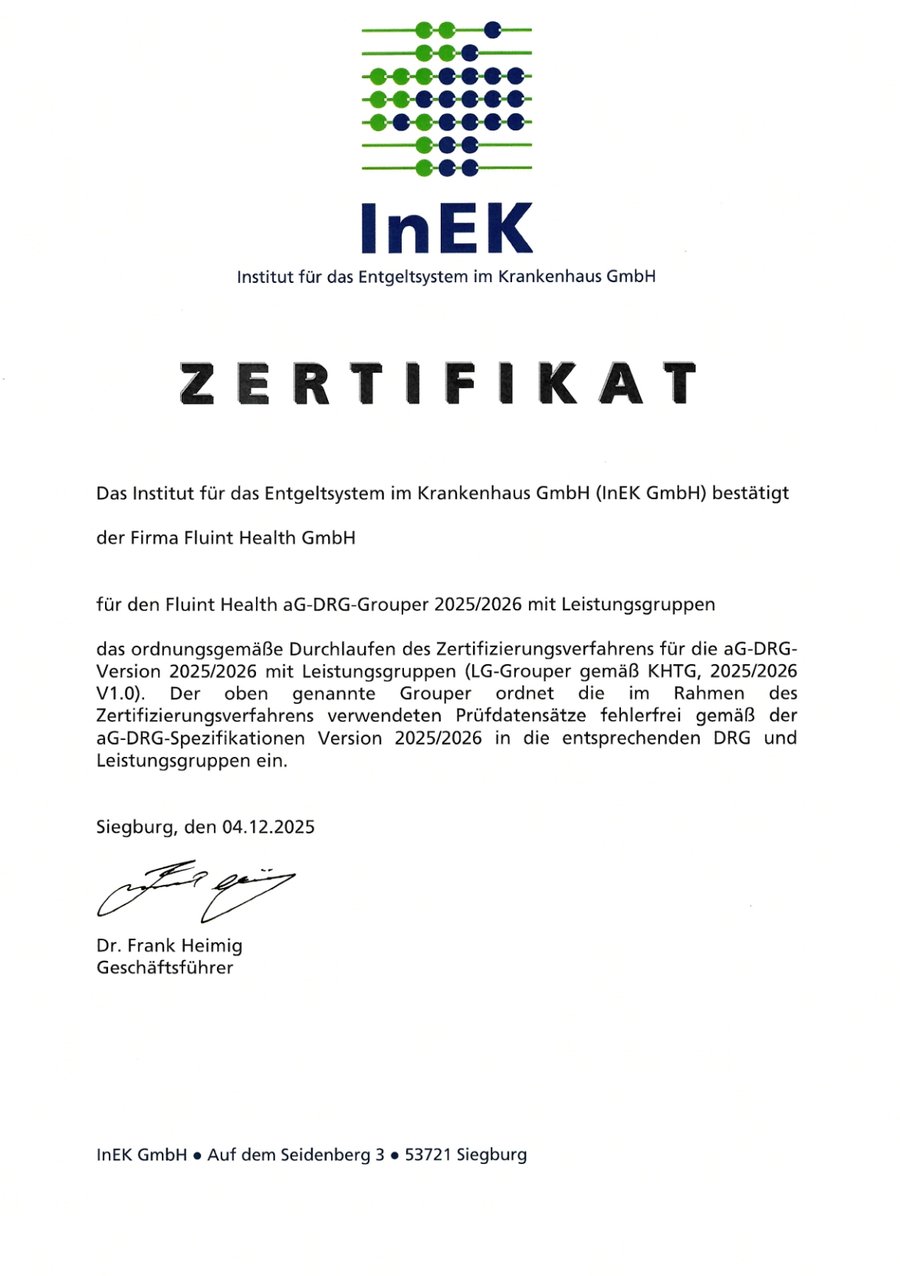
A separate workspace lets you review results independently of the grouper used in your HIS. Regroup and compare cases and datasets using your selected grouper version.
Review coding, audit revenue and prepare for annual changes using your own data, independently of the HIS grouper. Compare results across hospital sites.
Group clients’ cases and datasets using certified software and substantiate revenue effects without access to their HIS.
Recalculate the disputed scenario, show the underlying rule and explain why the case belongs in one group rather than another.
Integrate the certified grouper version into your products and processes via API or container. Annual updates provide the relevant versions.
The same certified logic, three ways to deploy: a browser workspace, an API or container integrated into your software, or a tool for agents.
Workspace (SaaS)
Sign in and get started, with hosting in Germany. Individual cases, Section 21 datasets, dashboards and parallel grouping in one interface.
API / Container
Certified grouping logic in your application, delivered through an API or as a container in your own data centre, with annual updates and an SLA.
MCP
Grouper as a tool for virtual assistants: in lunéa, in your own agents and in AI applications that support the Model Context Protocol.
Licence tiers and pricing are discussed in the demo, tailored to case volume and deployment model.
We demonstrate individual case review, decision paths and dataset analysis. Initial demos use example cases; arrangements for your own case data are agreed separately.